
/init sim_ctrl · THE ALL-IN-ONE HUB FOR SIM RACING
The pit wall for sim racing.
Live race control, an AI race engineer and strategist, and Purple Sector telemetry analysis for iRacing, Le Mans Ultimate and rFactor 2 — built for teams, and for drivers who run like one.
Built on the same strategy platform that runs real IMSA and WEC campaigns — bringing exactly what the pros run to your sim.
Windows 10/11 (64-bit). Sign-up happens inside the app — there are no accounts on this website.
- up to 60 Hzlive telemetry loop
- in-process readsdirect from sim memory · no OCR
- Real intelligence, not static overlays.dynamic calls from your laps, your rivals, the race.
/connectSIMS SUPPORTED
Three sims. One cockpit.

- Native SDK telemetry
- .ibt analysis + .sto setups
- iRating & Safety Rating on the standings

- Shared-memory telemetry with Virtual Energy
- .svm setups, garage-linked setup names
- .duckdb analysis

- Shared-memory telemetry
- .svm setups
- Same live cockpit
Live telemetry requires the Windows desktop app running on the PC that runs your sim.
/featuresWHAT’S INSIDE
Everything the pit wall does.
One app, the whole race weekend — swipe through the tools.
/watchLIVE
Everything your engineer watches, live.
A status strip that reads the race for you — flags, session, incidents, weather — over live standings by class, relatives, a proximity radar and a reconstructed track map. Streams straight off your rig at up to 60 Hz.
- Natively multi-sim — iRacing, Le Mans Ultimate and rFactor 2
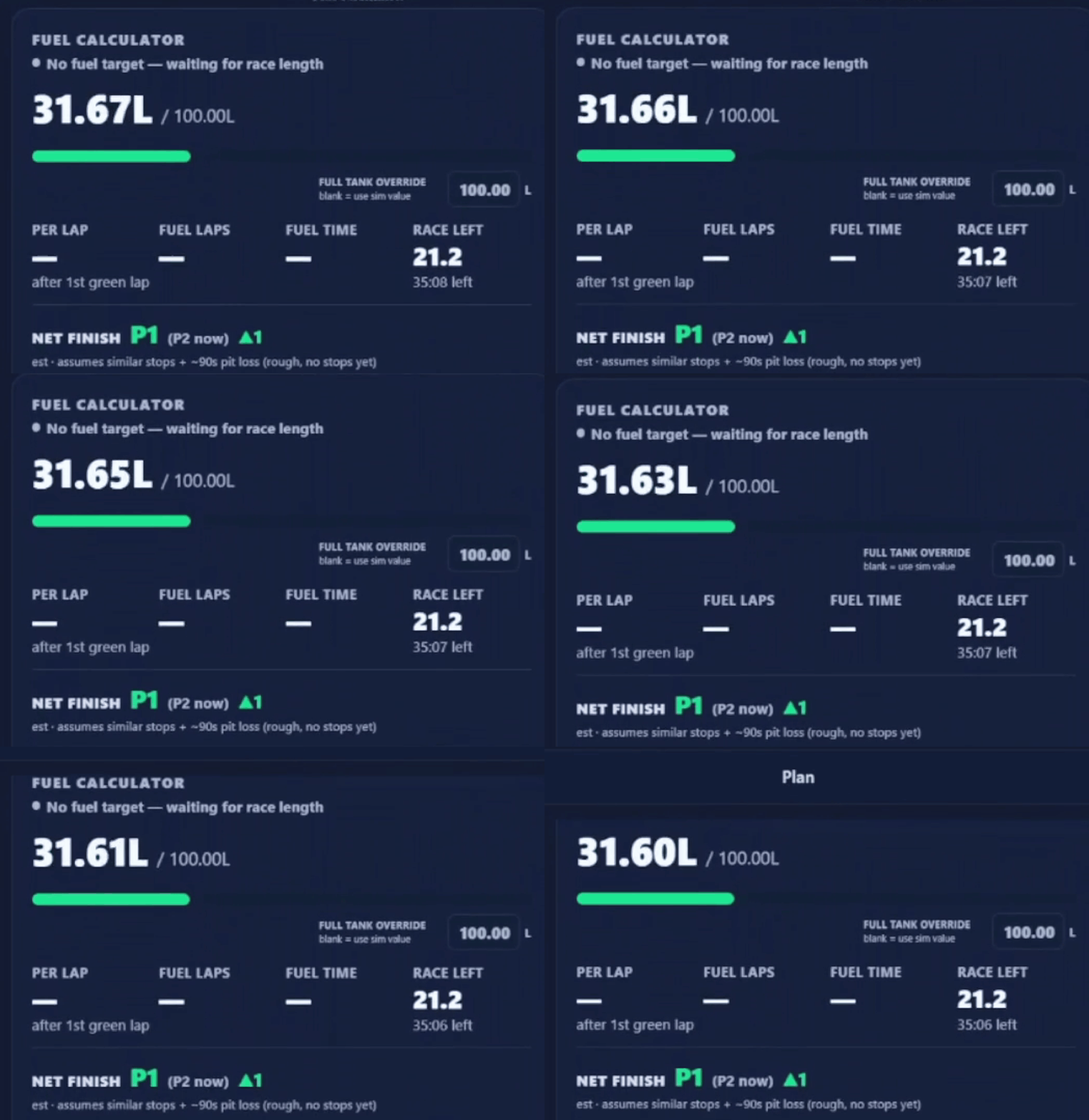
- Fuel & Virtual Energy calculator with a save-to-finish target every lap
- Standings by class with country flags, iRating & Safety Rating, and the fastest lap marked
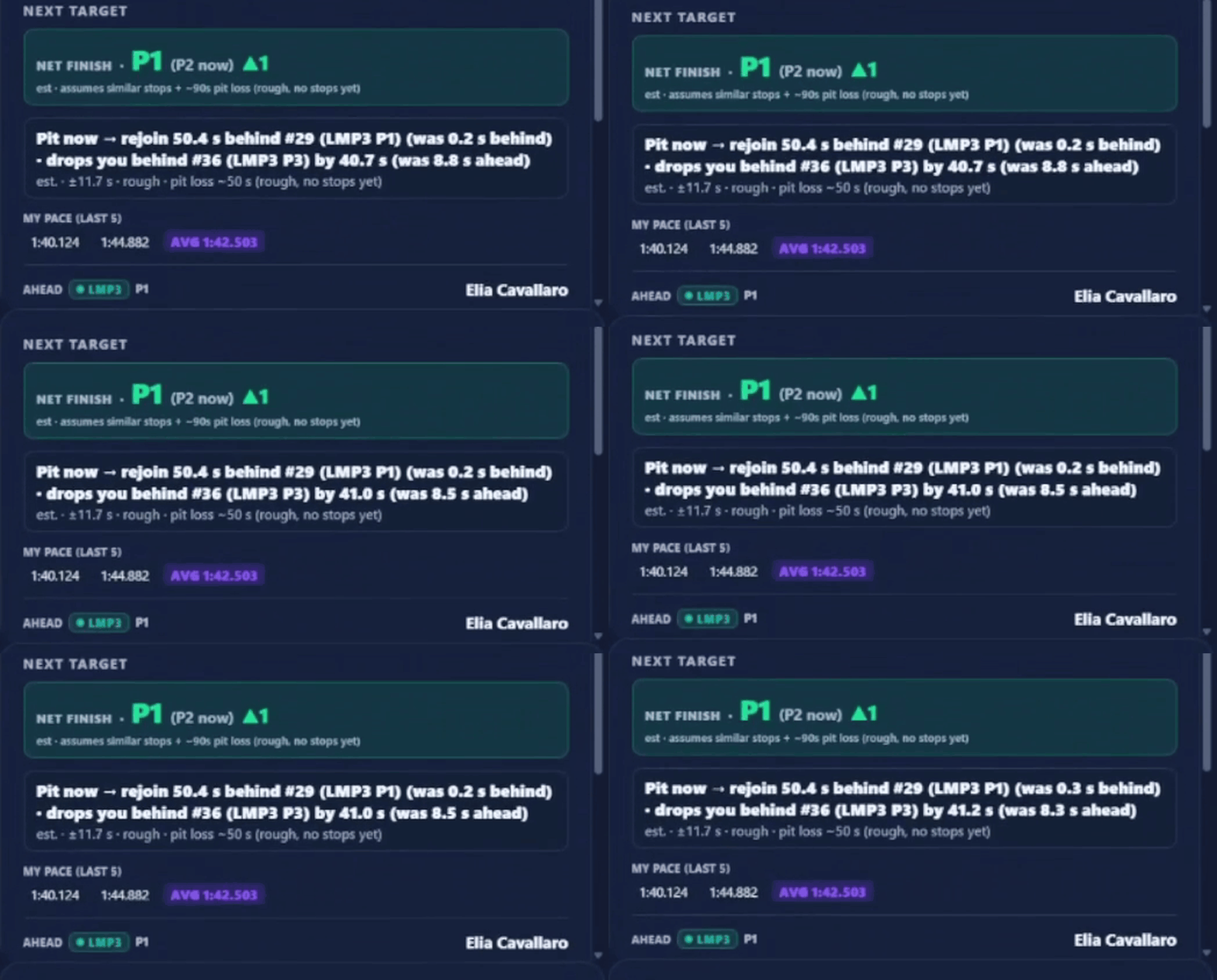
- Next Target — your pace vs each rival’s average and the closing rate, not a static gap
- Top-down or timing-ring track map with live sector coloring
- Stream-ready OBS overlays — a chromeless HUD or track map off the same live feed
- Per-car shift-point coaching with an audible shift tone
- Fully customizable, saveable Live views

/tunePS ENGINEER
An AI race engineer that reads every lap.
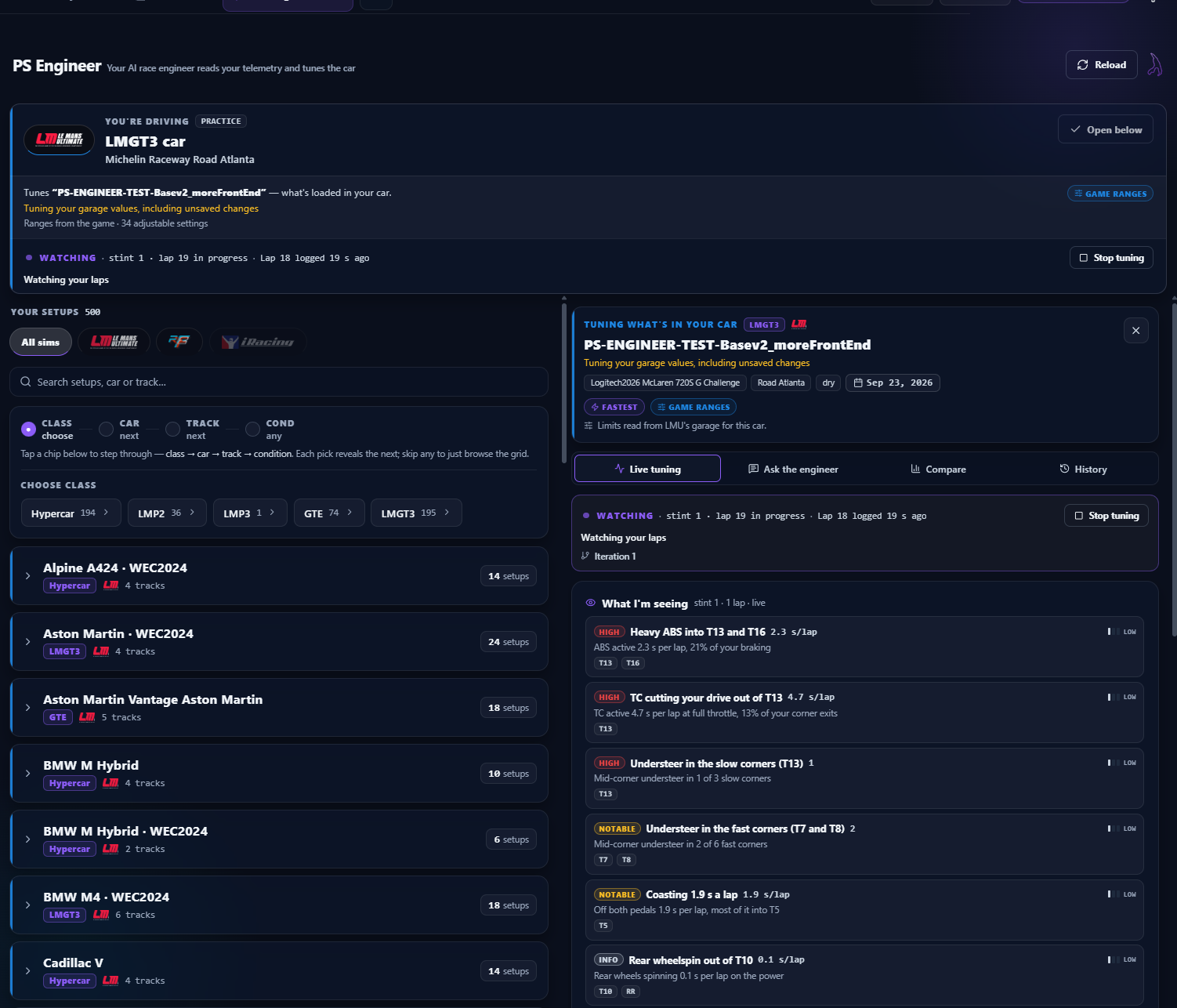
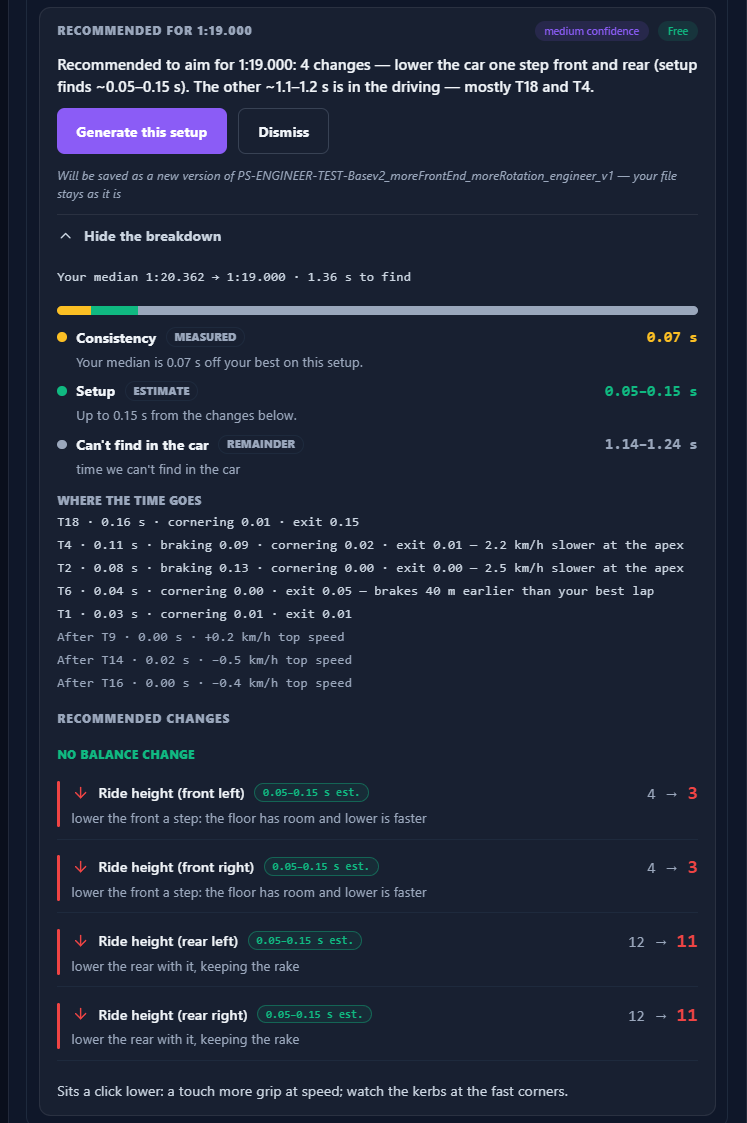
PS Engineer watches your telemetry lap after lap and tells you what to change — which corner is costing you, where the time actually is, and the setup move that finds it. Ask it anything in plain English; every answer comes from your own data.
- Live tuning: a direction after every lap — ride height, bars, wing, brake bias — with the corners and the reason
- Recommendations with a time-found breakdown — what’s in the setup versus what’s in the driving
- “Ask the engineer” — chat about balance and what to try next, grounded in your laps
- Builds a loadable setup revision, every version kept with its history
- Reads the game’s own setup ranges — never suggests a value the car can’t run
/strategizePS STRAT
A strategist on the box, all stint.
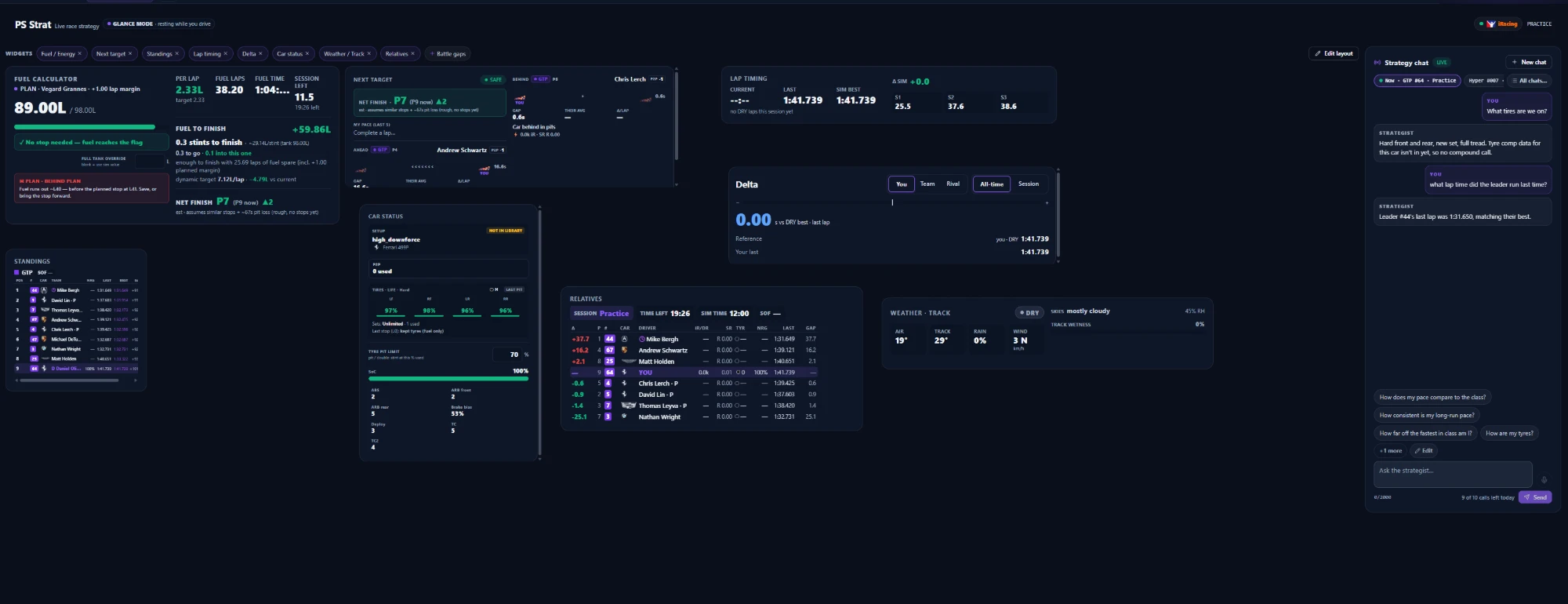
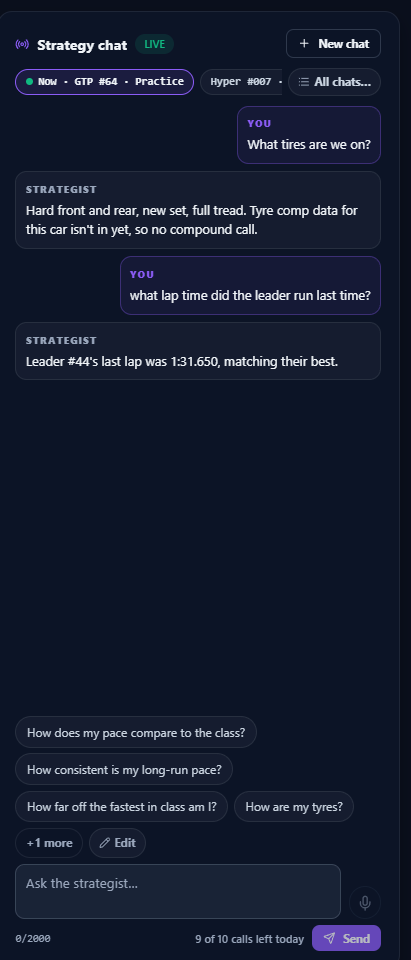
PS Strat runs the numbers the whole race — fuel and Virtual Energy to the flag, when to pit, how the weather is turning — and you can just ask it for the call. It reads the race as it actually unfolds, not a spreadsheet.
- Fuel & Virtual Energy to the finish, balanced so neither runs out first
- Pit-window and stint math — one stop or two, undercut or hold
- Live weather and track conditions, read straight from the sim
- Ask it the strategy question and get the answer from the race as it stands
/coachCREW CHIEF
A voice on the wall.
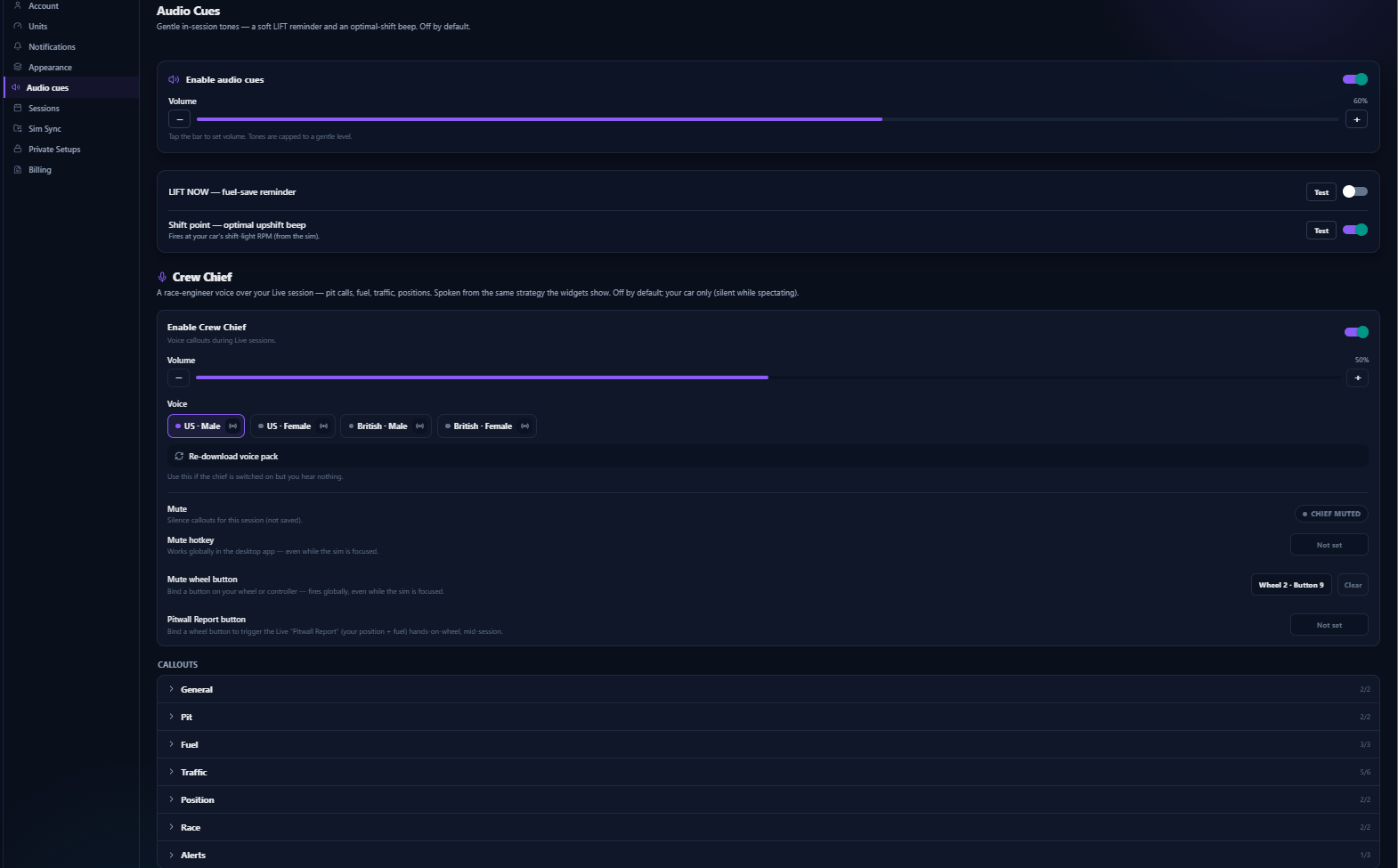
Crew Chief calls the race out loud — gaps, pit windows, fuel targets, rivals pitting, a faster class closing in — timed and de-duplicated so it talks like an engineer, not a scanner.
- Four voices: US & GB, male & female (custom voices coming soon)
- Callouts tuned per session type — quali gets “gap to gain a place”
- Volume, triggers and quiet preferences per callout in Settings
/analyzePURPLE SECTOR
Find the tenth. Prove it.
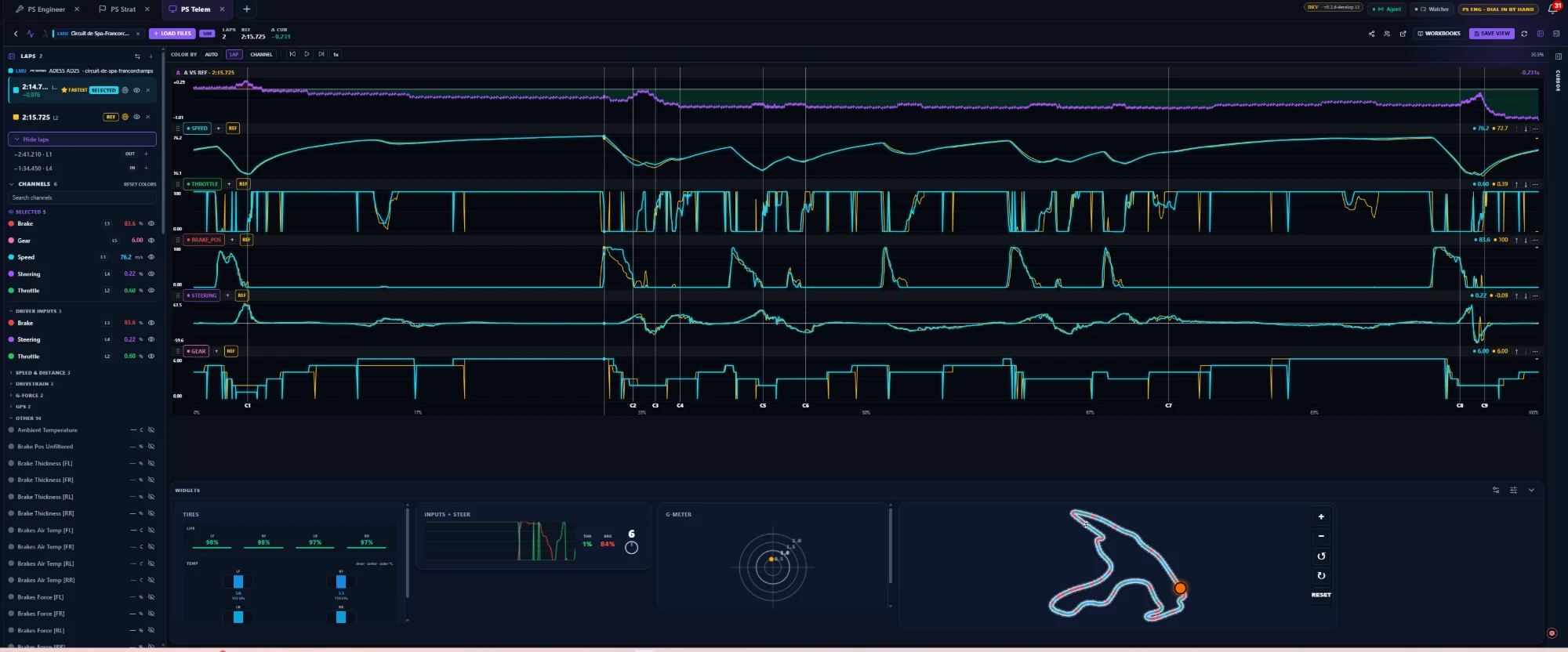
Purple Sector renders your laps as engineers expect them — stacked traces, delta vs reference, sector splits, ideal lap and a racing-line map that follows your cursor.
- Workbooks: reusable channel layouts (Defaults, G-Forces, dampers, tire temps…)
- Compare across files, sessions and drivers
- Telemetry auto-linked to its session result — one tap from results to traces
- iRacing .ibt and LMU .duckdb, uploaded or auto-synced
/syncLIBRARY
One garage for the whole team.
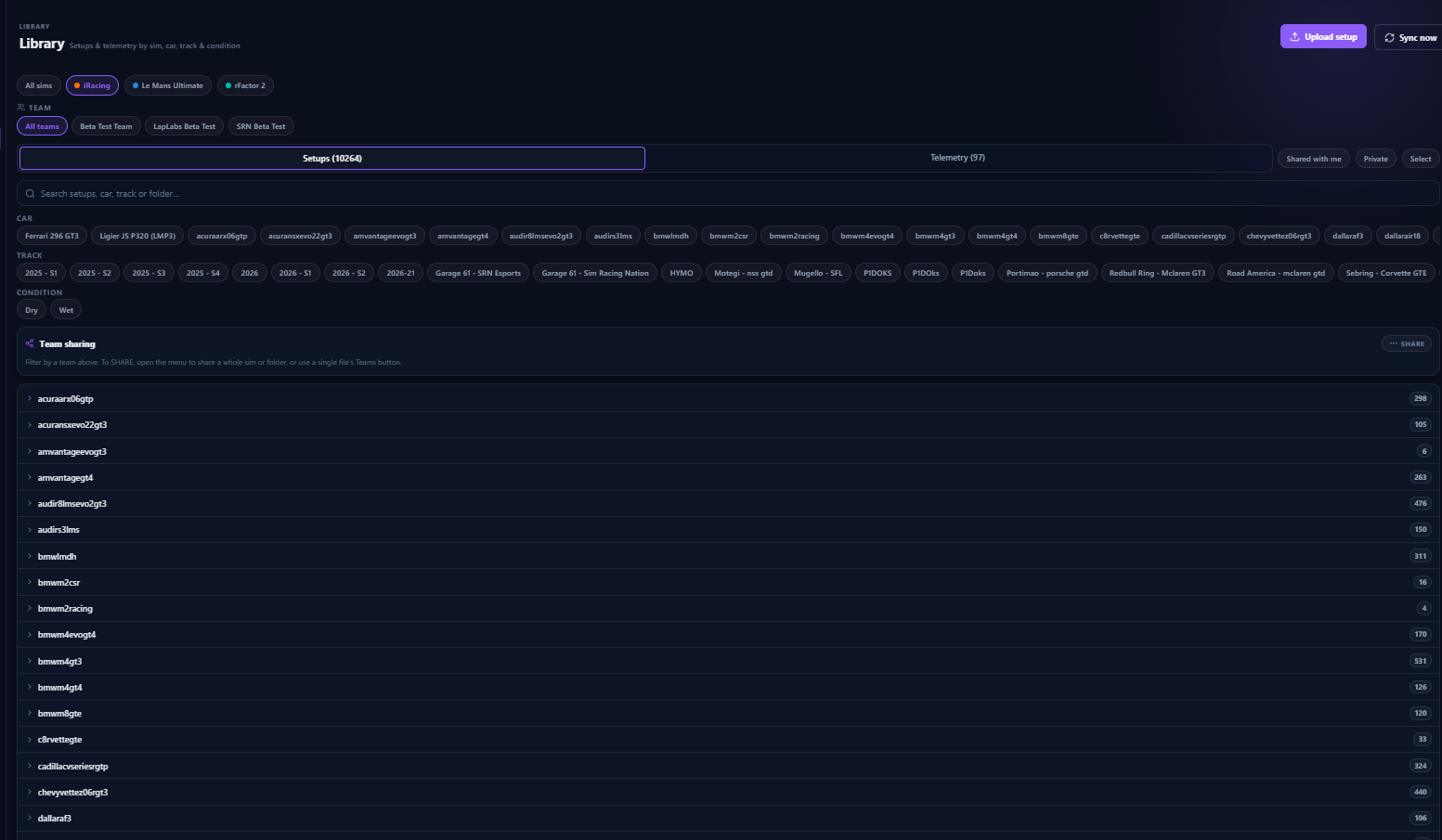
Setups and telemetry organized by team, sim, car and track — shared with your team at capture time, synced back down to your sim’s own folders.
- Cloud / On-PC badges and reveal-in-folder
- Auto-sync a teammate’s shared setup into the right iRacing / LMU car folder
- Protected-setup rules: hide setups from teammates by name or file contents
- Owner-controlled sharing — teammates can’t re-share your data
/logRESULTS
Every weekend, on the record.
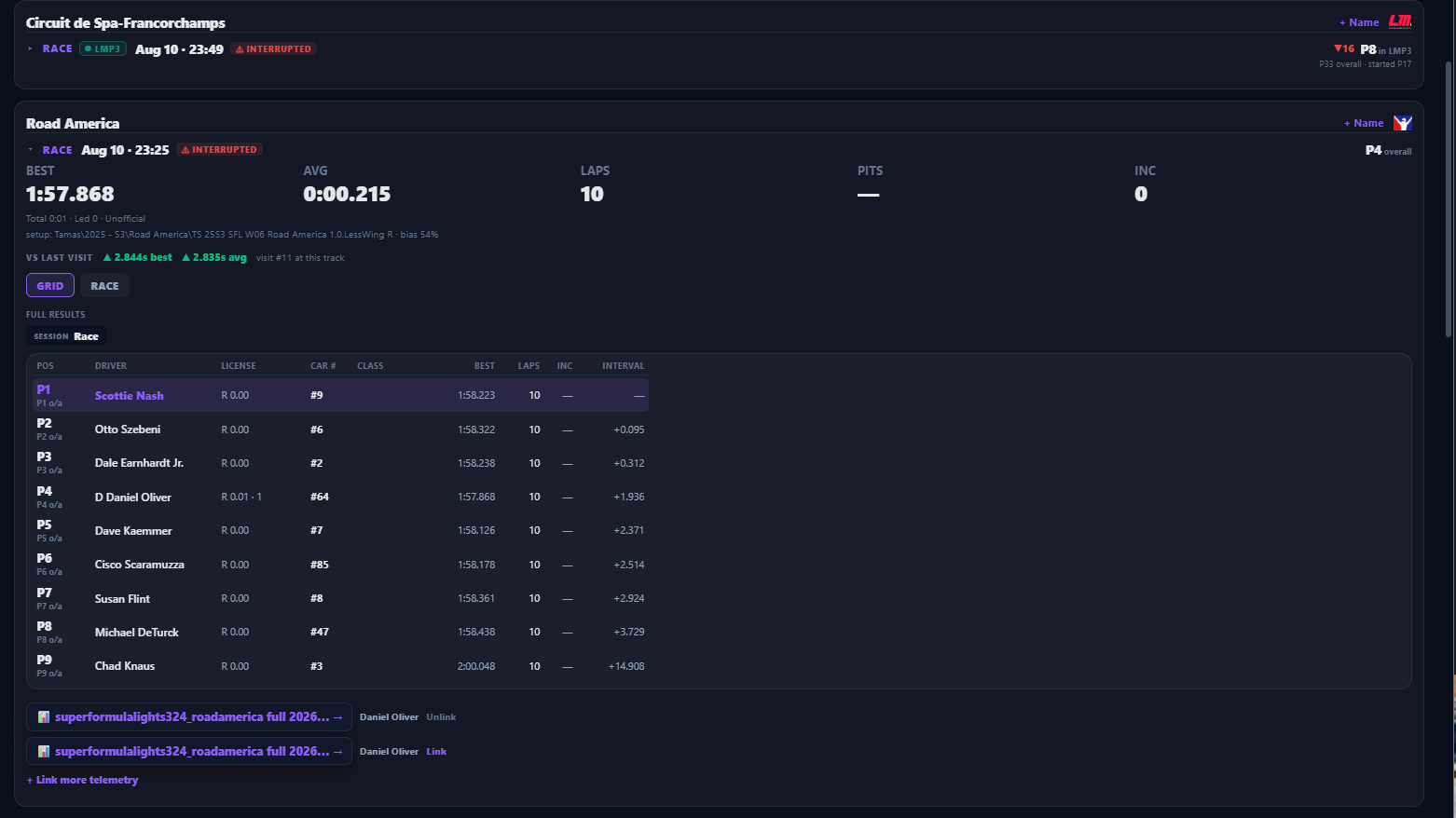
Practice, quali and race results captured automatically — event weekends, class positions, best and average laps, incidents — searchable forever, with your telemetry attached.
- Comprehensive post-race standings and reports
- Driver profiles, badges, SR/iR chips
- Weekend overview across sub-sessions
- “Open in Purple Sector” from any result
/rosterTEAMS & ROLES
Built for the endurance stack.
Roles for how teams actually run — admin, crew chief, driver — with per-sim membership, presence, and one-tap spectating when a teammate is on track.
- Watch live: see a teammate’s pit wall while they drive
- Temporary members: view-only coaches and guest drivers with an expiry — perfect for coaching
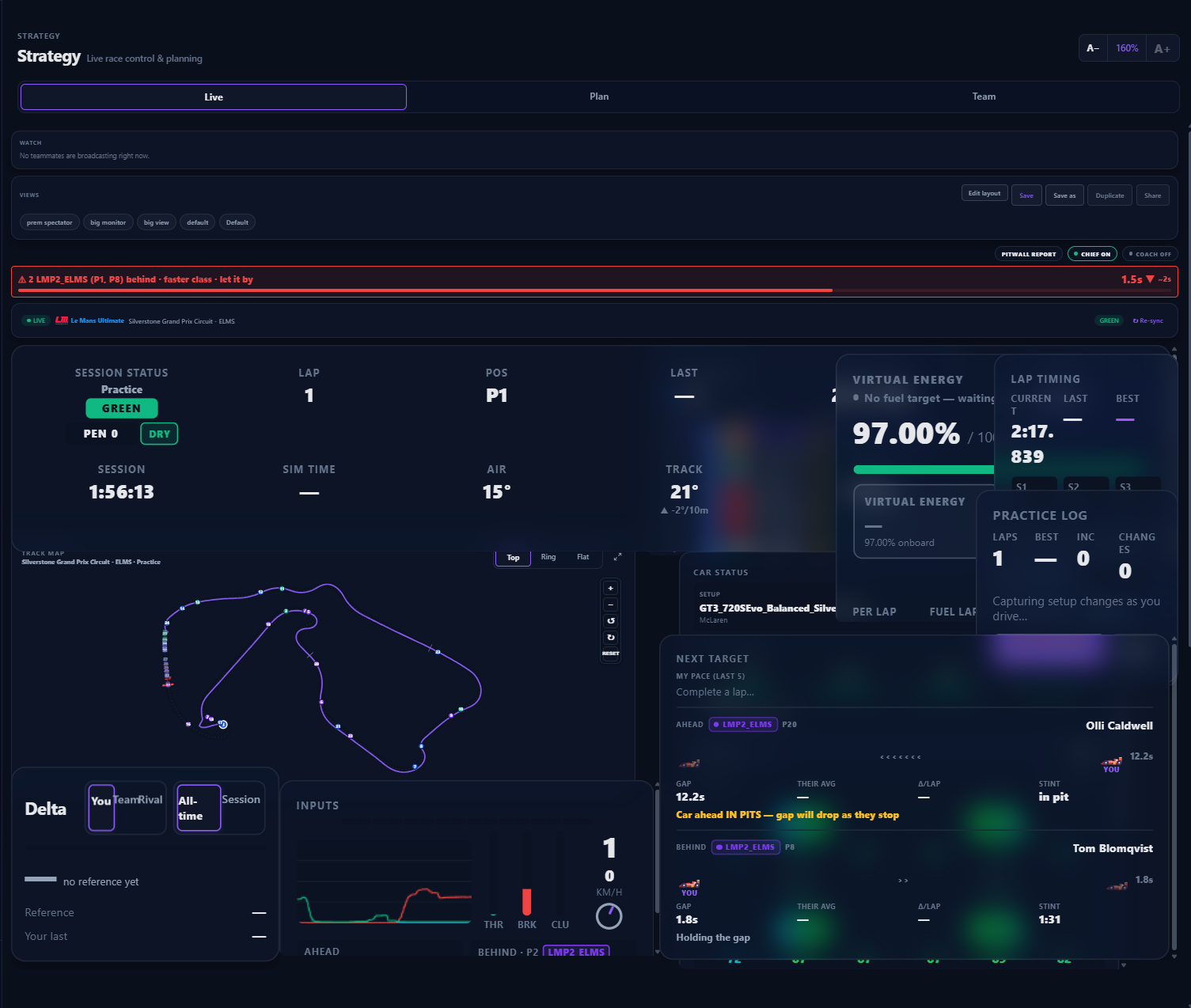
/liveINSIDE THE LIVE VIEW
The panels that read the race for you.
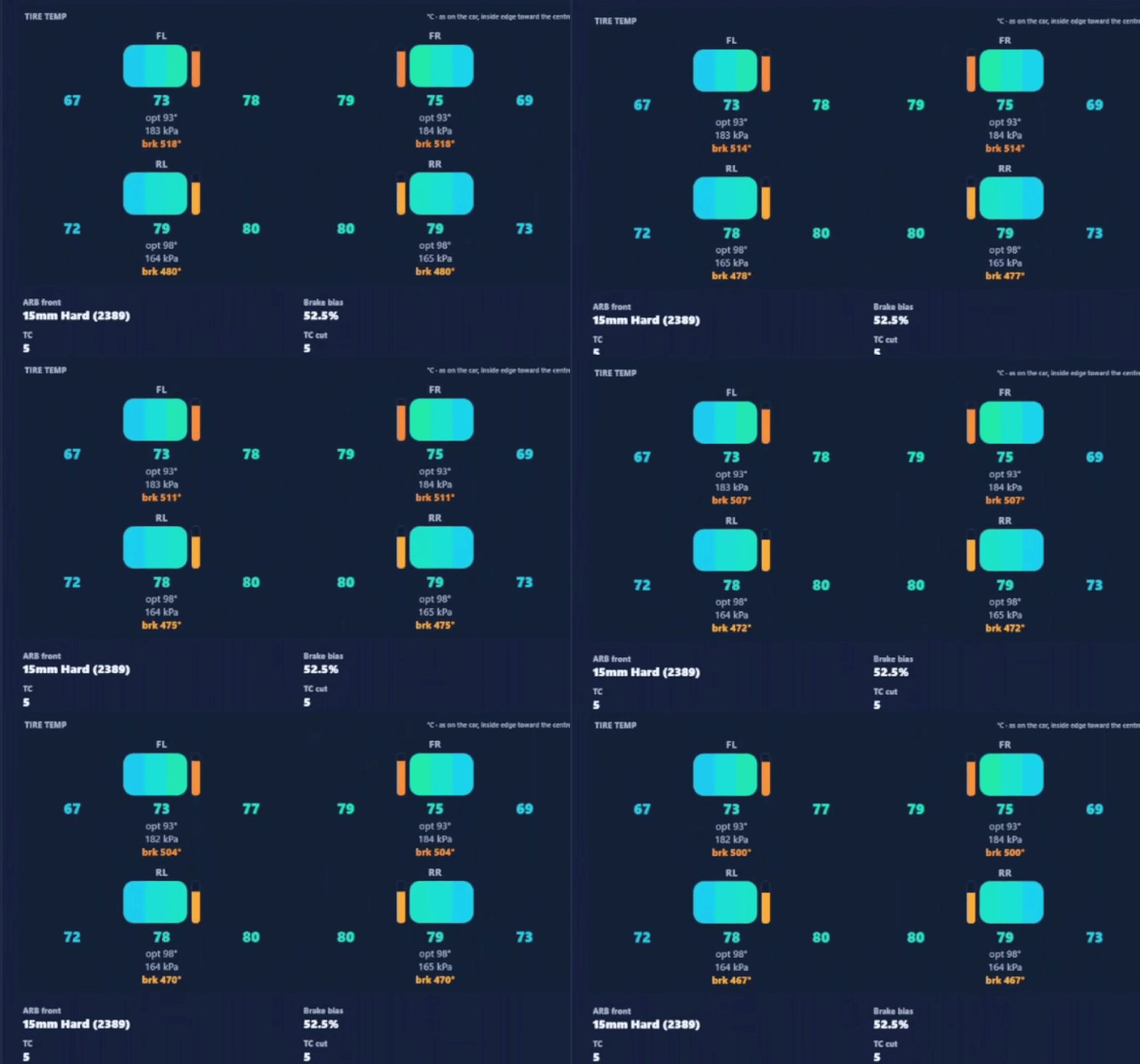
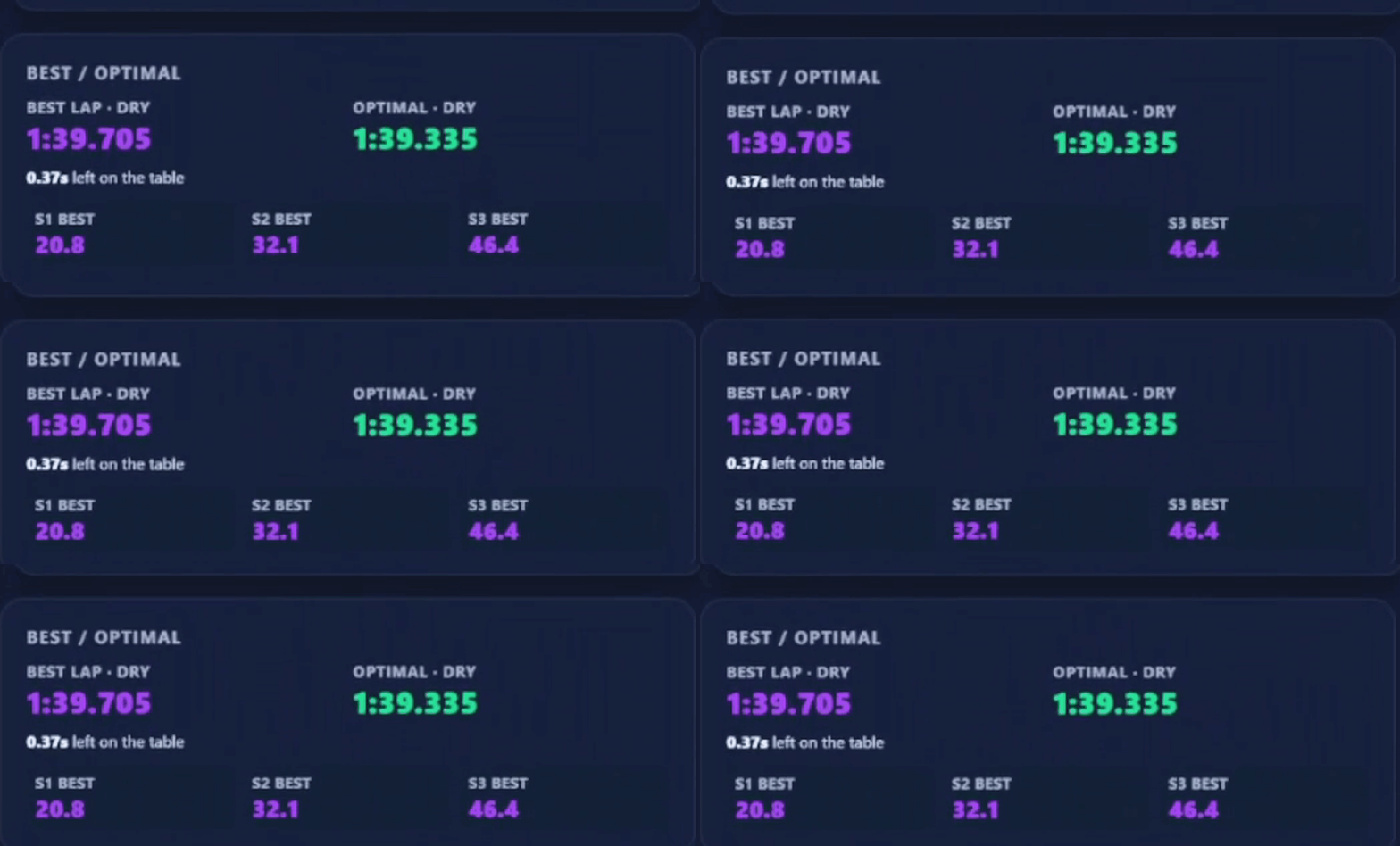
Every widget in the Live view is doing the math — not mirroring a raw number. A few of them up close.

/plansPRICING
Start free. Upgrade any time.
Sim Control is a free download for everyone. Paid plans add cloud backup, deep telemetry and team sharing — billed per driver, monthly or annually.
Free
Solo & fully local
$0Free forever- Manage & view your own setups & telemetry, on your machine
- Setup library
- Live race control (full)
- Watch teammates live (spectate) with custom dashboards
- Purple Sector telemetry analysis
- 1 team
- 1 member per team
- Join a paid team as a guest to view what they share
- No cloud backup or sync
- Can't broadcast your own live session for teammates to watch
- Can't invite guests of your own
Download for WindowsFree forever · no account neededBasic
Backed up, analyzed, shared
$15/moEverything in Free, plus
- Automated cloud sync of setups & telemetry across all simsPrivate setups are flagged and never synced
- Broadcast your live session — let teammates watch your pit wall live
- 25 GB cloud storage
- Invite up to 3 guests
- Up to 5 teams
- Up to 10 members per team
- PS Engineer & PS Strat — your AI race engineer and strategistDaily AI usage included
- Most popular
Pro
The complete pit wall
$25/moEverything in Basic, plus
- More PS Engineer & PS Strat usage — higher daily limits
- Crew Chief voice callouts
- Purple Sector workbooks — custom views for setup building & advanced analysisPS Engineer builds setups from your telemetry
- Race plans (save, active & alternate)
- Early access to new features
- 100 GB cloud storage
- Invite up to 5 guests — perfect for coaches: view their live data and sync setups & telemetry to them
- Up to 15 teams
- Up to 25 members per team
Choosing Basic or Pro takes you to our secure Shopify checkout, where you’ll create your account and start your subscription. The desktop app is the same free download either way.
Plans are billed per driver — a team is just how you share setups, telemetry and race plans. Every driver brings their own plan.
/applyEARLY ACCESS
Apply for early access.
Sim Control is in closed early access — we bring drivers and teams in a group at a time. Tell us a bit about you and we’ll reach out to the ones we take on next.
/setupHOW IT WORKS
On track in three steps.
Download & install
One installer for Windows, and it auto-updates itself from then on.
Create your account in the app
Sign in, make or join a team. No web forms — everything lives in Sim Control.
Drive
The agent auto-detects iRacing, LMU and rFactor 2, streams your session live, and files laps, results and setups as you go.

Get on the pit wall.
Windows 10/11 (64-bit) · ~107 MB · auto-updates itself
No web sign-up — create your account inside the app after install.
/helpFAQ
Before you install.
Is there a web or Mac version?
The live engine is Windows-only — it reads your sim in-process. Results, sharing and analysis ride along in the same desktop app; a companion web/mobile view is on the roadmap.
What does it cost?
There’s a free tier, plus Basic and Pro subscriptions — see the pricing above.
Which sims?
iRacing, Le Mans Ultimate and rFactor 2.
Why does Windows warn me about the installer?
Windows SmartScreen flags new publishers while our code-signing rolls out — choose "More info → Run anyway". Downloads come over HTTPS directly from our release bucket.
Do you see my data?
Your telemetry and setups belong to you and your team. Sharing is always explicit, private-setup rules are enforced server-side, and a teammate can never re-share your data.